A Full Routine, Move for Move
Each style starts from a reference dance made with AI, starring a dancer who does not exist, shot on a still camera. The model copies the steps and the timing and puts the person from your photo in the dancer's place.
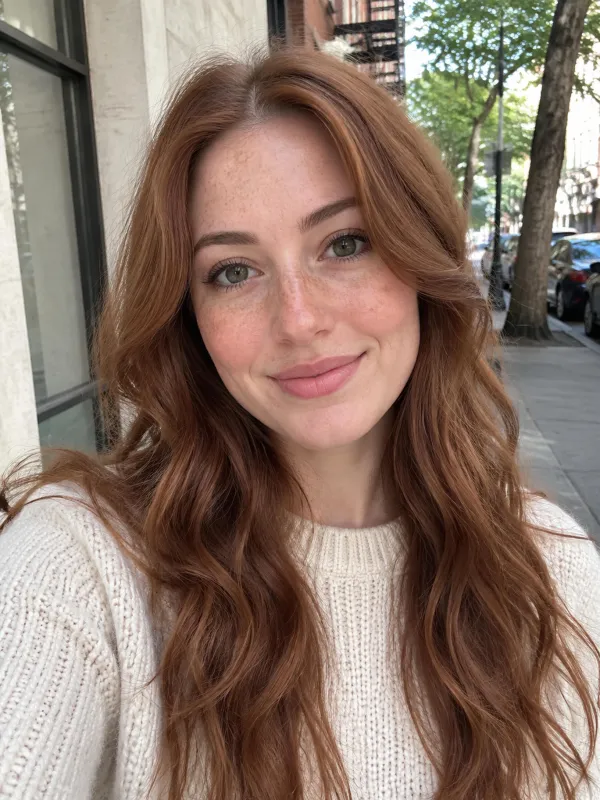
Have a selfie that deserves a stage? Upload it, add a friend if you like, choose a style, and this AI photo dance video maker builds a full vertical routine around you.
Use photos of yourself or of people who agreed, never public figures. What you get is a generated dance, not recorded footage.
 Finished clip
Sample Clips
Give this AI photo dance video maker one selfie and a vertical clip comes back showing that person performing an entire routine in a lifelike set, with music timed to the moves. Face, hair and top are lifted from the picture, while the AI supplies matching trousers and shoes. Each sample below was generated here from selfies of people who do not exist, uncut and untouched.
Try the AI Photo Dance Video MakerHip-hop · One Photo
Head and shoulders in, full routine out.
A casual selfie of a bearded man in a grey hoodie returns him on an empty outdoor basketball court at golden hour, a faint skyline behind. The hoodie stays and the AI supplies grey sweatpants and white sneakers while he bounces, swings his arms, lifts a knee, steps from side to side and ends facing the lens. It is the clearest example of an AI photo dance video built from almost nothing, and an easy one to copy with your own picture.
Disco · One Photo
An instrumental comes with every style.
Wearing a denim jacket over a black top, a woman lands on a lit tile floor beneath a mirror ball and red lamps, flared jeans added. She points, circles her arms, brings her palms together, points up and smiles. Pop sounds upbeat, hip-hop leans on drums and bass, and disco pairs a funky bassline with bright strings. There are no vocals or speech, so lay a specific song over it inside TikTok or Instagram if you need one.
Pop · One Photo
Short loop or a longer routine.
A black-bobbed woman in a white hoodie turns into a ten-second studio pop routine, dressed in pale blue jeans and white trainers, with swinging arms, side steps, hops and a closing pose, one arm raised over her head. Pick 5 seconds for a quick loop or 10 for a longer run. At 480p a clip costs 50 or 80 credits, and at 720p it costs 90 or 170. Everything is vertical 9:16.
Pop · Two Photos
Pair two separate portraits.
Two portraits, a man in a navy tee and a woman in a green blouse, end up in one bright studio wearing light jeans and white trainers. He takes the left and she the right, matching arm moves, side steps and shoulder turns. Faces stay with their owners and never trade places. The second photo adds nothing to the price, and the pictures need not come from the same occasion.
Hip-hop · Two Photos
Funny pairs, ready to send.
A grandmotherly woman in a blue cardigan and a young man in a plaid shirt bounce through the hip-hop routine on the court at golden hour and finish side by side, a mother-and-son clip made for a feed. Drop a friend, a partner or a parent into a short AI photo dance video and surprise the chat. The tool does not copy named viral dances or offer ready-made templates. It builds a new routine around the faces you choose.
Photo Guide
A few habits that give you the cleanest routine.
Under the Hood
There is no model menu on this page, because every AI photo dance video here runs on MiniMax H3. It can follow a reference dance clip move for move and hands back the video with the music already on it. In our own testing it kept to the routine every time, but the result is still an imagined AI render rather than filmed footage, so small details can differ from run to run.
Each style starts from a reference dance made with AI, starring a dancer who does not exist, shot on a still camera. The model copies the steps and the timing and puts the person from your photo in the dancer's place.
Faces, hairstyles and tops stay near your upload, though tiny details may shift in an imagined render.
Every download carries the style's own instrumental track, with no vocals, singing or speech.
01
Upload a clear selfie as Photo 1, and a second portrait if you want to dance as a pair.
02
Choose pop, hip-hop or disco, then 5 or 10 seconds and 480p or 720p. The button shows the credit price before you commit.
03
Start the render, keep your tab open, and download the vertical clip for TikTok or Reels.
One balance for every Rumpelstiltskin AI video you make. Pick a plan by how many tiptoe clips you want, nothing else changes between plans.
Save 30% billed annually
Flexible monthly subscription.
The lowest price to get started. Every model, a monthly budget to try things out.
$7.99/mo
Renews monthly, cancel anytime.
200 credits
≈ 0–10 videos, depending on length
≈ 14–66 images, depending on the model
4.00¢ / credit
The cheapest way to start. Every model, a small monthly budget.
$12.99/mo
Renews monthly, cancel anytime.
400 credits
≈ 1–20 videos, depending on length
≈ 28–133 images, depending on the model
3.25¢ / credit
A few sneaky tiptoe clips a month for you and your friends.
$29.9/mo
Renews monthly, cancel anytime.
1,000 credits
≈ 3–50 videos, depending on length
≈ 71–333 images, depending on the model
2.99¢ / credit
2 parallel tasks
Steady output for a creator account riding the trend.
$49.9/mo
Renews monthly, cancel anytime.
2,000 credits
≈ 6–100 videos, depending on length
≈ 142–666 images, depending on the model
2.50¢ / credit
3 parallel tasks
High volume for pages and agencies posting every day.
$89.9/mo
Renews monthly, cancel anytime.
5,000 credits
≈ 15–250 videos, depending on length
≈ 357–1666 images, depending on the model
1.80¢ / credit
5 parallel tasks
Pay yearly and save more.
A few sneaky tiptoe clips a month for you and your friends.
$19.9/mo$29.9
Billed yearly at $238.8. Renews yearly, cancel anytime.
Save $120/yr vs monthly
12,000 credits
≈ 38–600 videos, depending on length
≈ 857–4000 images, depending on the model
1.99¢ / credit
2 parallel tasks
Steady output for a creator account riding the trend.
$34.9/mo$49.9
Billed yearly at $418.8. Renews yearly, cancel anytime.
Save $180/yr vs monthly
24,000 credits
≈ 76–1200 videos, depending on length
≈ 1714–8000 images, depending on the model
1.75¢ / credit
3 parallel tasks
High volume for pages and agencies posting every day.
$62.9/mo$89.9
Billed yearly at $754.8. Renews yearly, cancel anytime.
Save $324/yr vs monthly
60,000 credits
≈ 190–3000 videos, depending on length
≈ 4285–20000 images, depending on the model
1.26¢ / credit
5 parallel tasks
Top up credits valid for 12 months.
One-time top-up — perfect for occasional needs.
$49.9
One-time purchase, valid 12 months.
1,000 credits
≈ 3–50 videos, depending on length
≈ 71–333 images, depending on the model
4.99¢ / credit
Larger top-up with 20% bonus — best per-credit value for one-time buyers.
$198
One-time purchase, valid 12 months.
4,800 credits
≈ 15–240 videos, depending on length
≈ 342–1600 images, depending on the model
4.13¢ / credit
5 parallel tasks
What to know before you make an AI photo dance video.
Try the AI Photo Dance Video MakerAt 480p a 5-second clip costs 50 credits and a 10-second clip costs 80. At 720p they cost 90 and 170. You need to sign in to create one, and plans start at $7.99 a month for 200 credits, enough for four 5-second clips at 480p. The create button shows the exact price first.
Yes. Whether you choose pop, hip-hop or disco, the style's own instrumental track is already in the file. There are no lyrics, nobody sings and nobody talks. You cannot upload or pick a song here, so if you want a particular one, swap the audio in TikTok, Instagram or a video editor after you download.
Upload a clear selfie as Photo 1, add a second portrait if you want a duo, pick a style, then choose 5 or 10 seconds and 480p or 720p and press create. In our tests a clip took from under a minute to about four, so keep the page open until the vertical MP4 finishes.
Only with their permission, because the clip puts a real face on screen. Use photos of friends, partners or parents who clearly agreed, and never upload celebrities, public figures or anyone who did not say yes.
In our tests the face, hair and top stayed close to the photo, and in duo clips the two dancers were never swapped. The trousers and shoes are filled in by the AI. It is an imagined render, so small details can vary, and a bright front-facing selfie gives the closest match.
A single person facing forward in good light with the whole face visible. A plain selfie is enough, so you do not need a full-body picture. Avoid group shots, sunglasses, masks, dark lighting and heavy beauty filters.
This maker was built and tested on photos of people. Pet photos have not been tested, so there is no promise of how a dog or cat will come out. If you want to experiment anyway, try a clear front-facing picture first and expect results to vary.
MiniMax H3 runs every clip, so there is no separate model to choose. It follows the reference choreography move for move and returns the finished clip with the instrumental already synced.
On the home page, which holds the main clip that turns one photo into the sneaky Rumpelstiltskin tiptoe video. The same account and credits work for every clip on the site.
Keep Exploring
AI photo dance video
Upload a photo, choose a style and download a vertical routine with the music already on it.
Create My AI Photo Dance VideoFROM 50 CREDITS - NO PROMPT NEEDED
Get Your Selfie Moving With an
Try the AI Photo Dance Video Maker