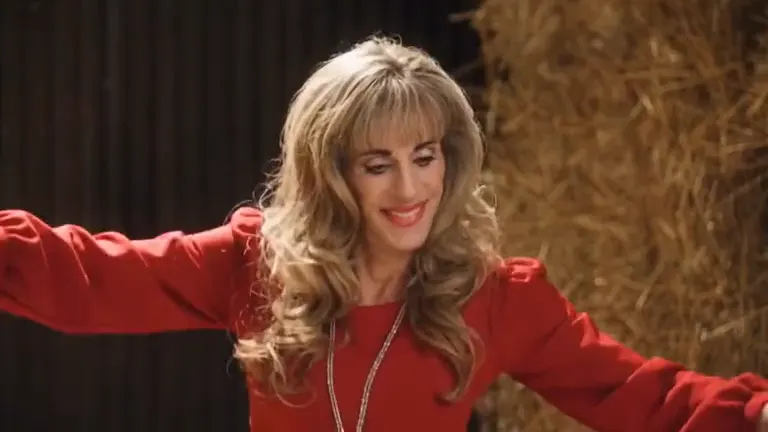
How to Make a Rumpelstiltskin AI Video From One Photo
Published October 19, 2026
A Rumpelstiltskin AI video turns one photo into a playful fantasy tiptoe scene. The subject sneaks through a golden barn, and your caption supplies the reason: slipping away from chores, reaching for a late-night snack, or leaving a conversation before it gets longer. This guide shows how to make a Rumpelstiltskin AI video and choose a photo that gives the scene a clear subject.
Choose a photo for your Rumpelstiltskin AI video
Start with one well-lit photo where a single person, pet, or cartoon character faces the camera. Keep the face unobstructed and avoid a busy group image. A simple source photo gives the Rumpelstiltskin AI video a clear subject to carry into the barn scene. If the face is dark or turned away, choose another photo before generating.
Make a Rumpelstiltskin AI video
Open the Rumpelstiltskin AI video tool, upload the photo, and select the visual style that fits your idea. The scene puts your subject in a velvet tailcoat creeping across a barn of golden hay. Generate the clip, then download it and add your own caption in the app where you plan to post it.
The format works best when the caption describes a small, sneaky mission. A Rumpelstiltskin AI video can show a pet approaching a treat or a person quietly leaving a meeting. The scene stays playful; the caption gives it a personal punchline.
Pick a meme format for the joke
Not every photo idea calls for a tiptoe. If the joke is about sneaking in fresh sneakers, the Tip Toeing in My Jordans AI scene is a closer match. If the idea is about performing a verse, Migos AI is closer to that musical mood. To keep the joke in the fantasy barn, make a Rumpelstiltskin meme and write the caption around the subject’s quiet escape.
Write the caption after choosing the scene
First decide what the person or pet is supposedly doing. Then choose a scene that makes that action readable without extra explanation. A Rumpelstiltskin AI video suits a stealthy caption; a football or music setup suits a joke about performing. Keep the wording short enough to read alongside the clip, and label the result as AI-generated when sharing it.
Common photo and posting mistakes
- A group photo can make it unclear which person should lead the scene. Use one visible subject.
- A dark or heavily filtered image can hide facial details. Choose a brighter original photo.
- A caption about winning or performing may not fit a sneaking scene. Match the joke to the template.
- Only upload a photo of yourself or someone who agreed to appear in the generated video.
FAQ
Is a Rumpelstiltskin AI video made from existing film footage?
No. It is a newly generated fantasy-style clip based on the uploaded image, not a real recording or a scene from a film.
Do I need editing skills to make a Rumpelstiltskin AI video?
No editing skills are needed to generate the clip. You can add a caption afterward using the social app or editor where you share it.
What makes a good Rumpelstiltskin AI video caption?
A short line about sneaking away or completing a tiny secret mission fits the tiptoe movement. Keep the caption tied to the subject in the photo.
Can I use someone else’s photo?
Only use a photo of another person when they have agreed to be included. Do not upload public figures or someone else’s image without permission.
Where can I make my own Rumpelstiltskin AI video?
Use the Rumpelstiltskin AI homepage tool to upload a photo, select a style, generate the clip, and download it.