Which AI Meme Video Should I Make From My Photo?
Published October 19, 2026
The right AI meme video starts with the joke, not with a random template. A photo can become a sneaky barn character, a football moment, a rap performance, or a dramatic zombie scene. This guide helps you choose an AI meme video by matching the caption and the subject to a visual setup.
Match the AI meme video to the caption
Write a one-line caption first. If it is about quietly leaving, reaching for a snack, or avoiding a chore, a Rumpelstiltskin tiptoe scene makes sense. If the punchline is about singing, making an entrance, or surviving a dramatic moment, choose an AI meme video built around that action instead.
Choose a scene that suits the subject
A single clear portrait gives most photo-based scenes an easy subject to follow. A full-body photo can help with a football action, while a face-forward portrait is a natural fit for a character transformation. Before you generate an AI meme video, check the page’s own photo guidance and use an image you have permission to upload.
Compare a few meme-video moods
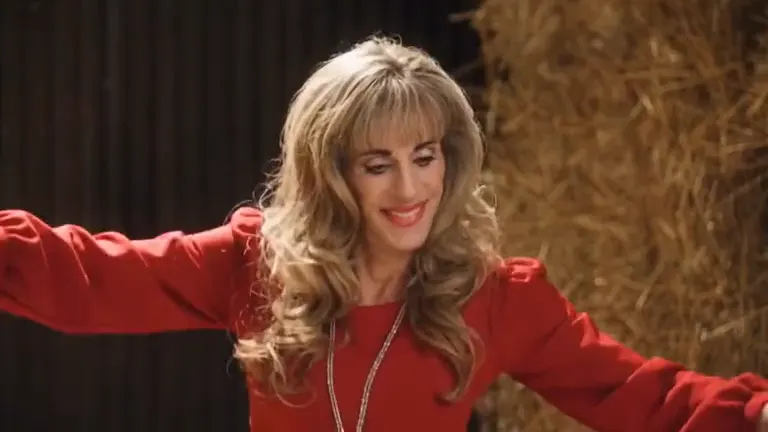
For a quiet, sneaky joke, make a Rumpelstiltskin AI video. It uses a fantasy barn and tiptoe movement, so the caption can explain what the character is trying to do.
For a doorway-entrance idea, Bulin 47 freestyle AI offers another direction. A musical punchline can work better with a rap setup, such as the Migos AI trend. Choose the AI meme video whose action communicates the joke even before someone reads the caption.
Keep the post easy to understand
Use a short caption and avoid explaining several unrelated ideas at once. The generated scene already supplies movement and setting; your words should add the reason behind them. If you want the post to feel dramatic rather than playful, a zombie couple video can support a reunion or survival-story premise.
An AI meme video is still an imagined generation. Label it as AI-made when you share it, and get permission before using another person’s photo. These two checks keep the post clear about both its source and its subject.
FAQ
What is an AI meme video?
It is a short generated clip that places an uploaded subject into a recognizable visual setup, such as a tiptoe scene, sports moment, or musical performance.
How do I decide which AI meme video to make?
Choose the scene that best expresses your caption. A sneaking joke needs different movement from a goal celebration or a dramatic reunion.
Does an AI meme video need a complicated prompt?
Not for these fixed scene tools. You choose a suitable photo and the available scene options; the template supplies the setting and action.
Can I use my friend’s photo in an AI meme video?
Ask your friend first and use the photo only if they agree. Do not upload a person’s image without permission.
Where can I make a tiptoe AI meme video?
Visit the Rumpelstiltskin AI tool, choose a clear photo, select a style, and generate the tiptoe scene.